Why did my floating navigation menu vanish the moment the pointer moved toward it?
Why did my floating navigation menu vanish the moment the pointer moved toward it?
The floating panel itself looked fine when it opened. Then I moved my hand downward for one second and the whole thing vanished. I had added a large product flyout to the navigation of one of my independent stores. Hovering over “Products” opened two neat rows of cards. The moment I tried to click one, the panel disappeared.
Before the fix: a diagonal move makes the panel disappear. After the fix: the same move reaches it reliably. Sanitized demonstration.
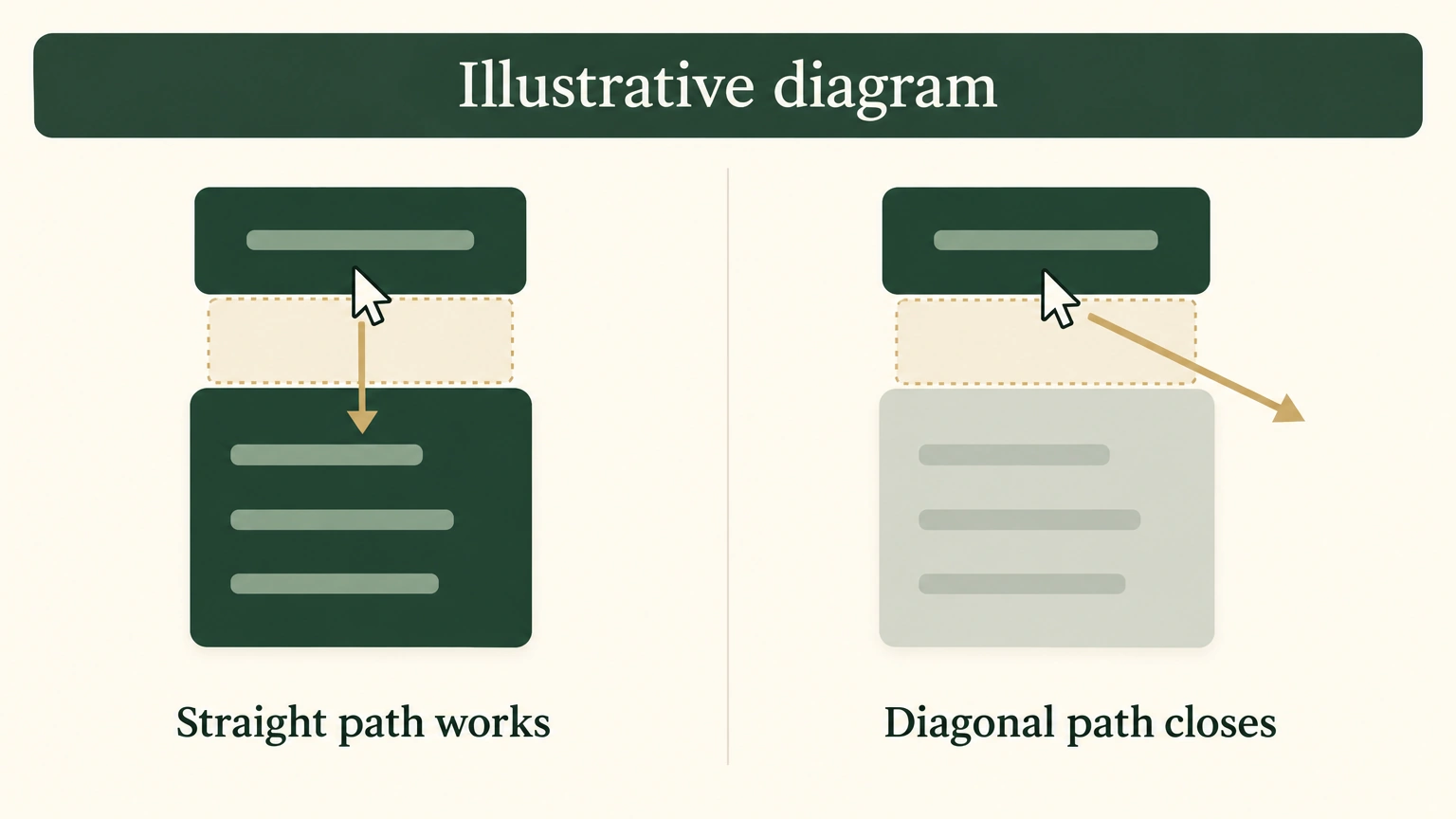
Illustrative diagram, not a product screenshot.
At first I blamed the browser. I refreshed and tried another device; the behavior stayed. After enough attempts, a pattern emerged. The panel stayed open only if the pointer moved straight down through a narrow strip below the word “Products.” Move slightly left or right toward a product and it closed immediately. The hit area looked too narrow.
This kind of “the panel disappears while I move toward it” problem does not yield to staring at whether an element exists in the code. I had to use the browser and test the actual pointer landing positions one by one. That is how I found the gap.
Describe the behavior before changing code
A mega menu is the large panel that opens below a navigation item on hover. Its expected behavior is simple: it opens while the pointer is over the menu item and closes after the pointer leaves.
The pattern became clear as I tested it on screen. A path straight down from “Products” entered the panel. A diagonal path toward any product closed it halfway through. The issue was not the panel itself. It was the path between the label and the panel. A straight route stayed connected; a diagonal route broke.
DOM inspection cannot show a pointer dead zone
I did not change code right away. I forced the panel open in the browser, then wrote a short script that moved from the top of the panel downward at several horizontal positions. At each coordinate, it asked the browser one question: which element does this point actually hit?
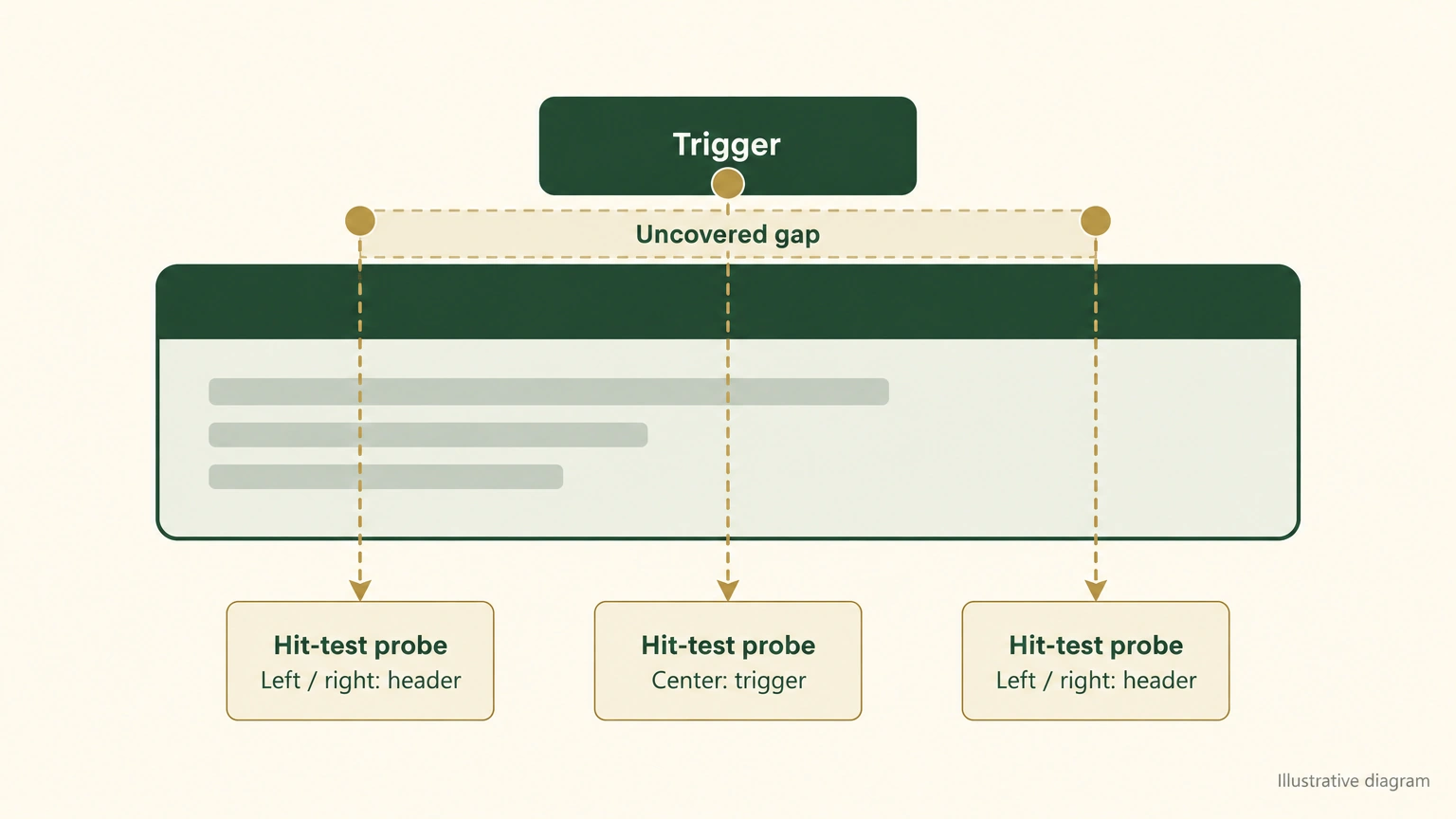
Illustrative diagram, not a browser screenshot.
That step mattered. The easy mistake in this kind of bug is to inspect the DOM, the page’s element tree, and ask whether the floating-menu node exists or is visible. It can be present and still leave a pixel where the pointer cannot reach it. A pointer does not care that a node exists in the DOM. It only cares which element occupies the screen coordinate under it.
The result made the cause clear:
| Pointer position across the page | What the point hit in the strip from the label bottom to the panel top |
|---|---|
| Directly below “Products” | Still inside the menu item (works), so a straight move stayed open |
| To the left or right, toward the product-card area | The header background (closes), so the panel closed |
There was a transparent, uncovered strip about 11 pixels high between the bottom of the label and the top of the floating panel. As soon as the pointer entered that strip, the browser treated it as having left the menu and closed the panel.
Why that gap existed
I measured the layout. The line containing the navigation label was only 52 pixels high, while the whole top bar was 74 pixels high. The label was vertically centered, leaving about 11 pixels of padding above and below it. The panel’s hit area began only at the bottom edge of the full top bar.
The theme had originally placed a bridge under only the word “Products.” It covered about the same width as the label, roughly 98 pixels. The panel itself spanned most of the screen, with product cards spread across that width.
It is like a gap between two buildings where someone has put down a plank only at the front door. Walking directly through the door works. Taking a diagonal shortcut toward the next building puts a foot in the gap. My earlier diagnosis, “the hit area is too narrow,” was correct. The bridge was just as narrow as the label.
Raise the hit area across the useful width
The fix was one line of CSS, the style code that controls a page’s appearance. I raised the top of the panel’s hit area to the lower edge of the navigation-label row, covering the blank strip. Because the panel ran across the page, raising it this way covered the gap across the full useful width.
I first injected that style in the browser and ran the same coordinate sweep again:
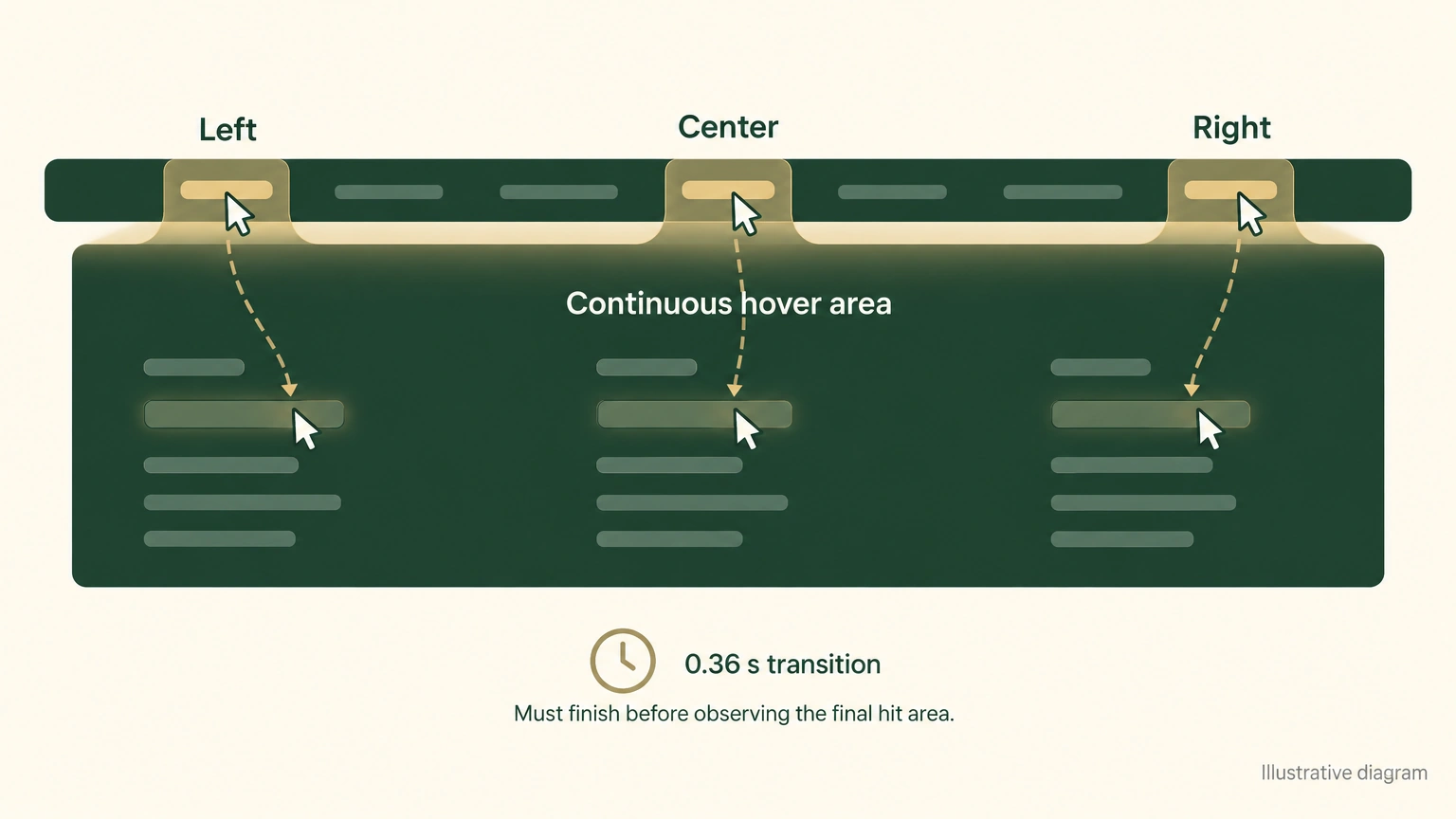
Illustrative diagram, not a browser screenshot.
- Left, right, and directly below the label: the uncovered strip was gone, and a diagonal move could enter the panel.
- The product cards were still clickable.
- The change applied only while the panel was open and covered only the lowest blank strip of the header. The logo, search, cart, and other navigation items sat higher up, so they remained reachable and switchable.
One small detail delayed the verification. I injected the style and it appeared to do nothing. The panel had a 0.36-second transition animation whose browser priority overrode my fixed style. My change took effect only after that animation finished. I spent a few minutes chasing that before I saw the timing issue.
The method matters more than the CSS line
- Describe the behavior precisely. “A straight move works; a diagonal move always closes the panel” narrows “the menu is broken” to a gap between the label and the panel. A more precise observation exposes the cause sooner.
- Do not rely only on whether an element exists in the DOM. Test real coordinates and ask the browser what each point hits. The dead zone becomes visible immediately.
- Do not trust a code change until it has been retested. The 0.36-second transition made my style look effective before it had a chance to win.
When a pointer cannot reach a floating menu, the cause is often an uncovered blank area between the trigger and the panel. Next time, measure that gap before treating the floating menu itself as the suspect.