AI can upload images. How does it prove it picked the right version?
After I updated a localized PSD, I had an AI re-export 10 Shopify images. It overwrote the old files and reported that it was done. One specific question stopped me: were the files it was about to upload actually the version I had approved?
The filenames were the same as the old images, and the thumbnails looked close enough. An AI saying “completed” could not tell me whether it had selected the new export, the old export, or a version from somewhere in between.
This takes about seven minutes to read. It gives you a no-code way to check image versions, plus a Prompt you can give an AI so it reconciles every file before upload.
What can an AI use to prove it is done?
I started with the easiest signals: filenames, folders, modified times, dimensions, and thumbnails.
A filename is like the label on a cardboard box. It can be copied, and an old file can overwrite a newer one. A recent modified time may only mean that a file was copied, unzipped, or synced recently. Dimensions can catch an obvious error, such as an image changing from 1200 x 1500 to 300 x 300, but two different images can still have the same dimensions.
Visual review can catch incorrect copy and tell you whether an image fits the article. It cannot answer another question: do two files that look the same contain exactly the same data?
I did not need the AI to repeat that it had chosen correctly. I needed evidence that did not depend on its own report. If any upload candidate had changed from the version I approved, the workflow had to stop by itself.
That is where a hash becomes useful.
How can a hash show that the AI picked the right file?
A hash is easiest to understand as a file fingerprint, though that is only an analogy. SHA-256 is the method that calculates the fingerprint: it reads every byte in a file and returns a fixed-length string.
The same file produces the same SHA-256 every time. Change even one pixel in an image and the result will usually become a completely different string.
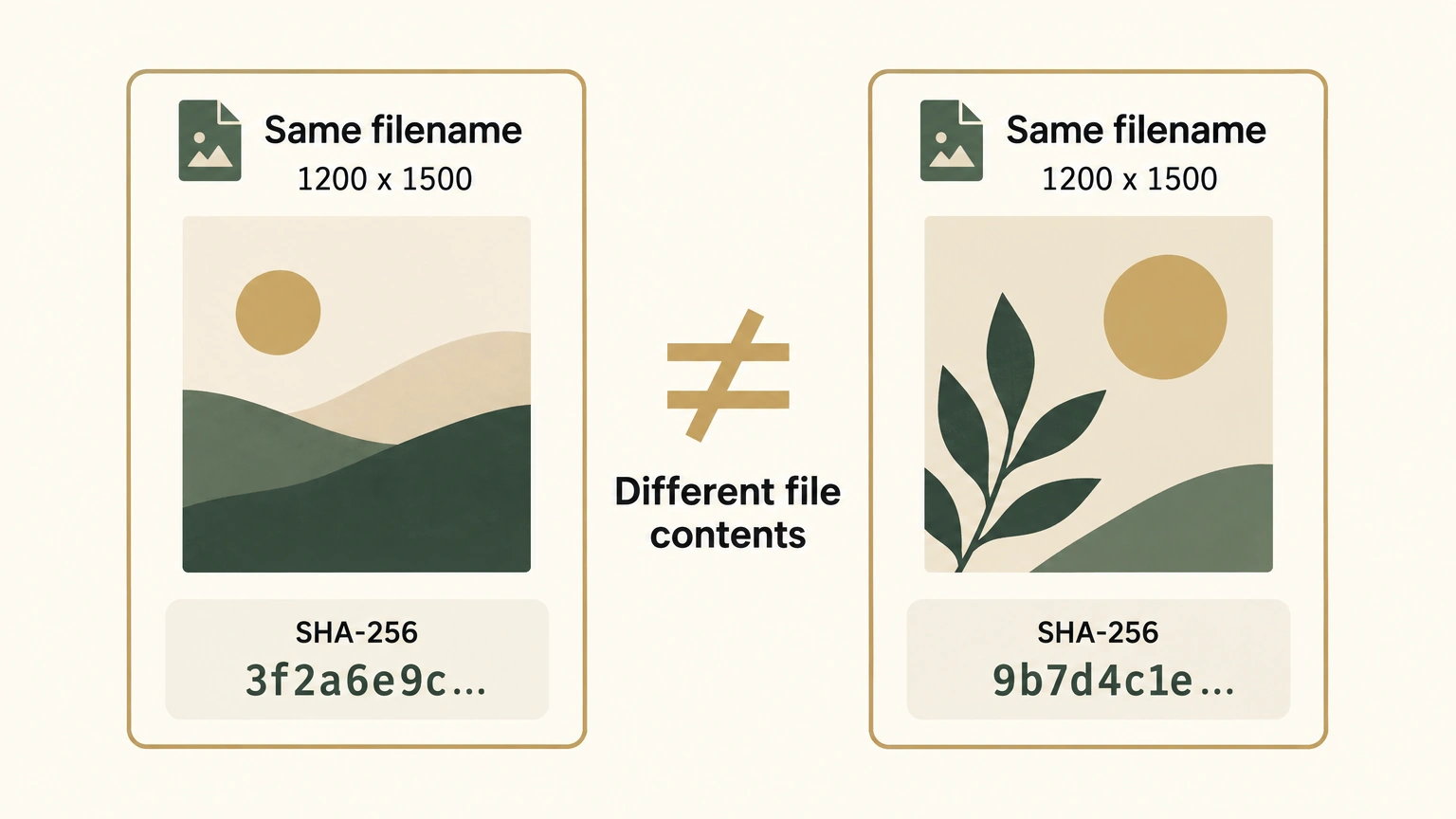
In practice, I calculate SHA-256 for the images that I have confirmed are correct and save the results as a baseline manifest. The AI calculates the upload candidates again before upload. Matching results show that the candidate file bytes have not changed from the approved version. One mismatch stops the upload and sends the file back to me for review.
Why did 15 records produce only 13 hashes?
My list had 15 records: one original PSD before processing, the same original PSD after processing, one localized PSD, 10 exported images, and two full preview images.
It ended with 13 distinct hashes. The original PSD had the same hash before and after processing, so its contents had not changed between those two points. The two full preview images also had the same hash, which meant they contained the same data. Fifteen records included two duplicate pairs, leaving 13 distinct values.
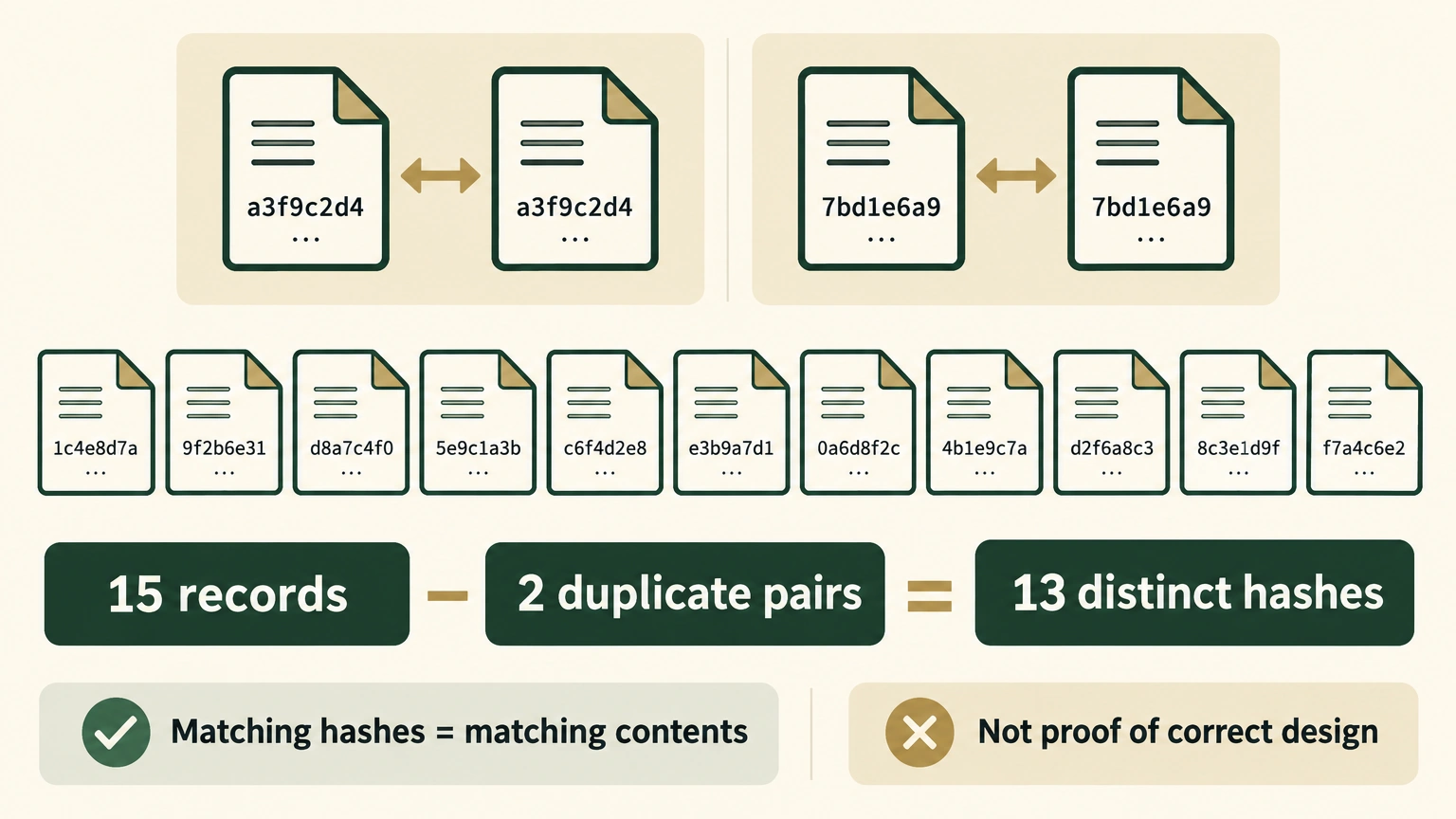
There is one prerequisite. I must decide which batch is correct before calculating hashes. If I start from the wrong batch, hashing will only prove, very accurately, that later files match the wrong version.
What does hashing check, and what does it leave open?
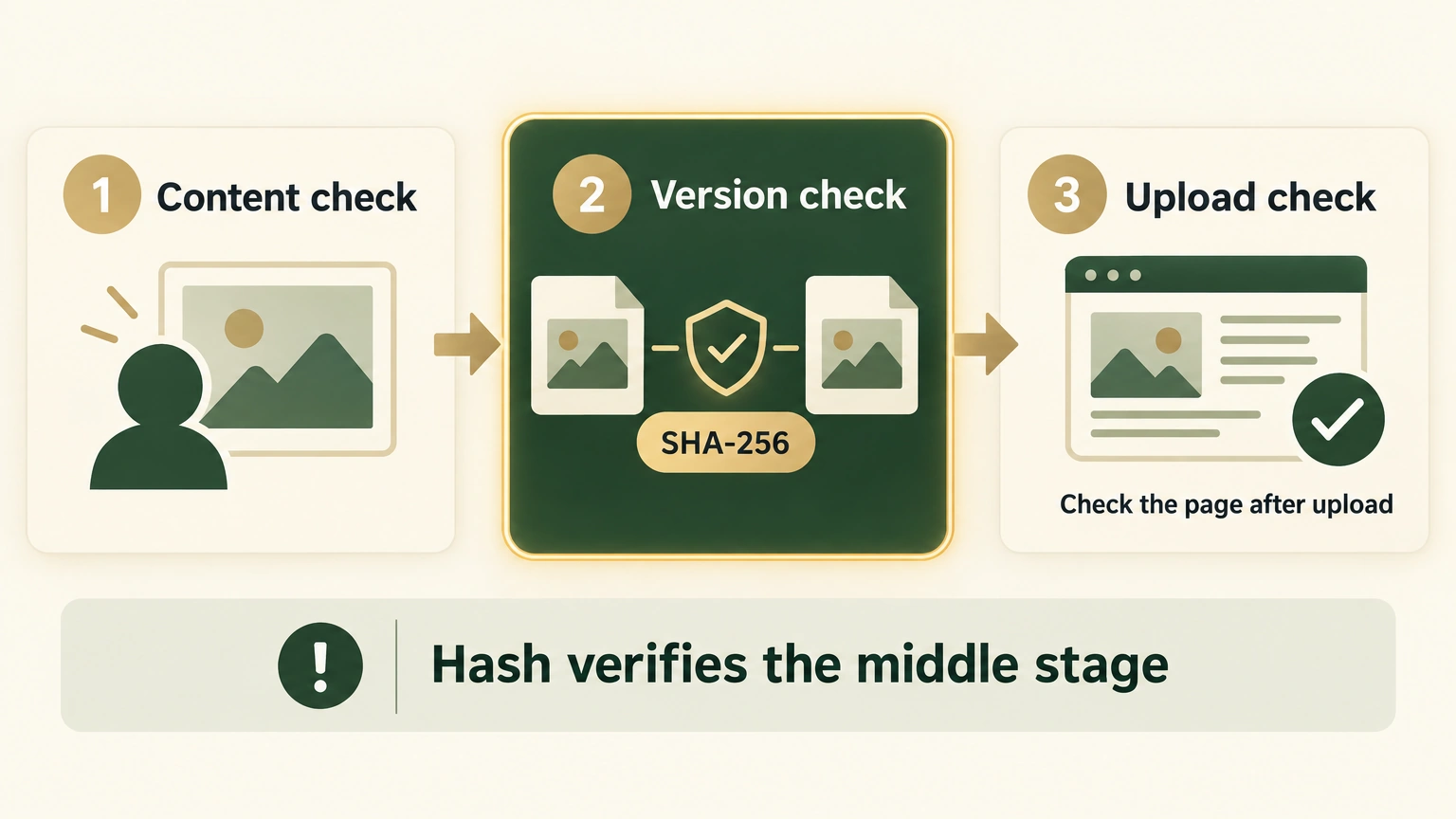
At first I treated a matching hash as a complete image check. After looking at the workflow again, an ecommerce image really has three separate questions:
- Is the content right? Does the image match this section of the article, with correct copy and layout?
- Is the version right? Is the file the AI plans to upload the version I just approved?
- Is the upload right? Does the Shopify page finally reference this image rather than an old URL or another version generated by the platform?
A hash answers only the second question. Someone still needs to look at the image for the first one. The third question requires a page check after upload.
Do not want to study SHA-256? Send this Prompt to your AI
You can paste this into Codex, Claude Code, Cursor, OpenCode, or any AI tool that can read local files. If ChatGPT cannot directly access files on your computer, it should switch to teaching one action at a time.
Want to see what the AI does underneath? Expand for six lines of code.
import hashlib
from pathlib import Path

def sha256(path):
    return hashlib.sha256(Path(path).read_bytes()).hexdigest()

print(sha256("product-image.jpg"))
This code reads the full image file and calculates its SHA-256. It does not decide whether the file is correct or stop an upload. It still needs to compare its result with the record in manifest.json and stop when the values differ.
Where is it better than visual review, and where is it weaker?
I no longer choose between visual review and hashing. They check different things.
| Method | What it can show | What it cannot show |
|---|---|---|
| Filename and folder | Where a file is stored and what it is called | Whether its contents were replaced |
| Modified time and dimensions | Obvious anomalies and incorrect specifications | Whether it is the version I approved |
| Visual preview | Copy, layout, and whether the image matches the article | Whether two files have identical underlying contents |
| SHA-256 | Whether file contents changed | Whether the design is correct or the image looks good |
SHA-256 does not encrypt an image, and it cannot reconstruct an image from a hash. Different files can technically produce the same hash, which is called a collision. The chance is close enough to ignore for ordinary Shopify image reconciliation, but it is not literally impossible.
This did not verify the Shopify result yet
This time I completed only the local file check. I had not uploaded to Shopify, so the conclusion could only be LOCAL_FILES_CONFIRMED, never a claim that the remote result was verified.
Any later upload check also has to define what it compares. Shopify or a CDN, a service that distributes images quickly to visitors, may recompress an image, change its format, or create a thumbnail. The processed file can look close to the original while its hash changes, so it should not be compared blindly with the local original.
Hashing is not connected to every image upload workflow I use. Some localized image deployments calculate SHA-256 again before upload and stop on a mismatch. The broader image upload workflow does not yet apply the check everywhere.
What I care about is whether an AI can leave evidence after it says it is done, evidence that does not depend on its own wording. A person checks the image content. A hash checks the file version. A page check verifies the upload result. Keeping those checks separate shows exactly which step has actually passed.